Snag list and punch list app for Android
Walk the unit. Send the report before you leave.
Keyday turns your walkthrough into a clean, branded PDF report. Log a defect with a photo in under 30 seconds, mark it up, and share the report in three taps.
US$9.99, one-time purchase. Everything in the app is included.
- Works fully offline
- No account
- No ads or tracking
- Backup and restore
How it works
From first photo to finished report
Capture
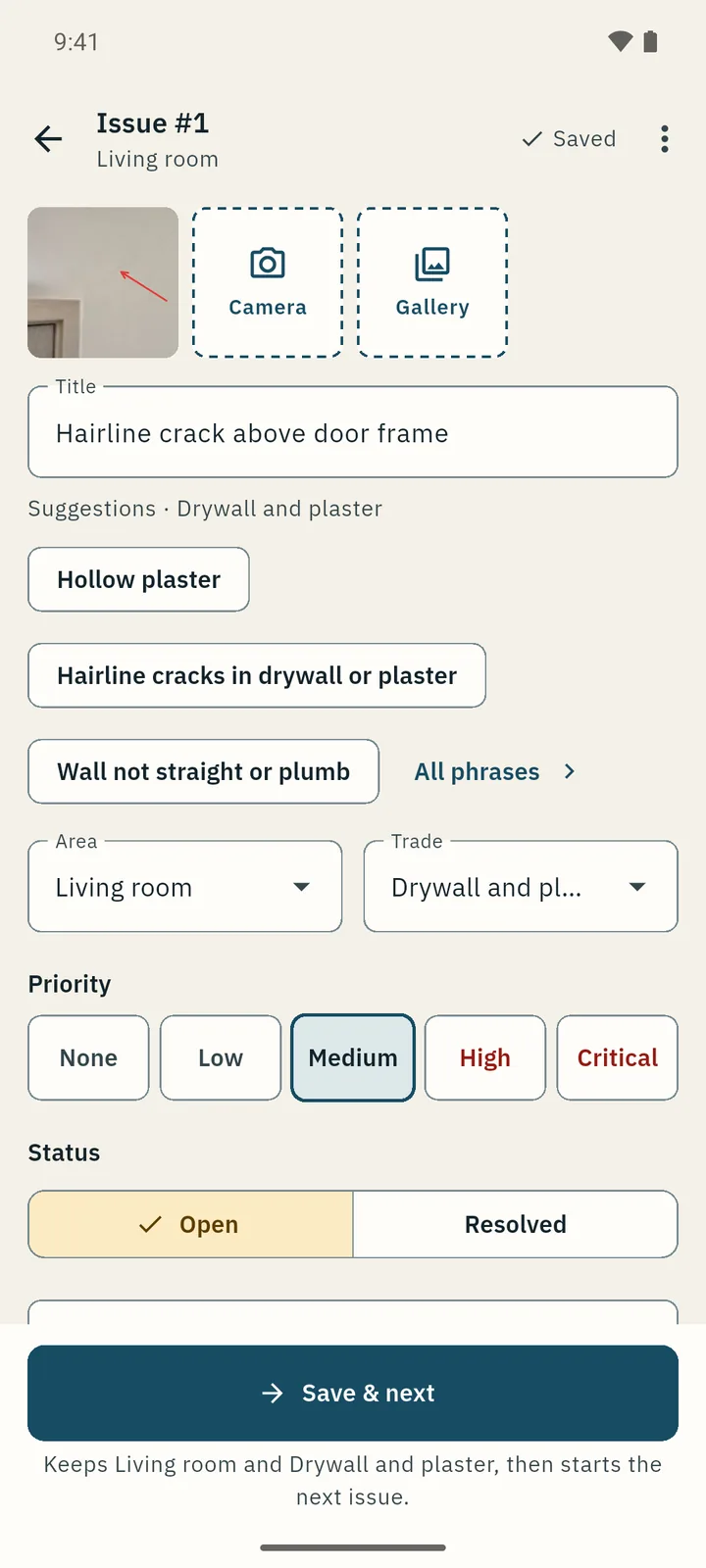
Take a photo and the issue is created in the right room. Pick a ready phrase, set the priority and who fixes it, and Save & next opens the camera again.
Mark up
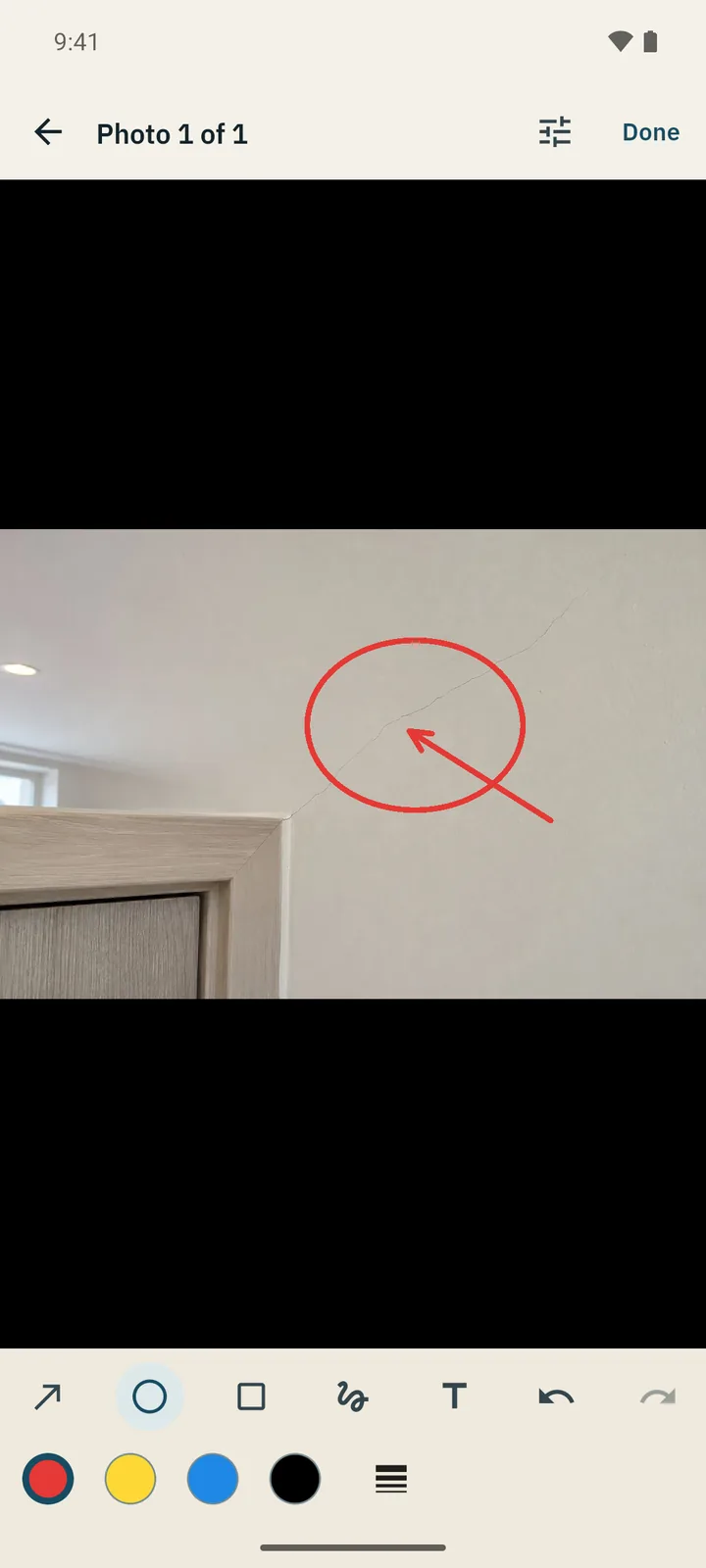
Point at the problem with arrows, circles, boxes, freehand and text. Your original photo is never changed.
Send
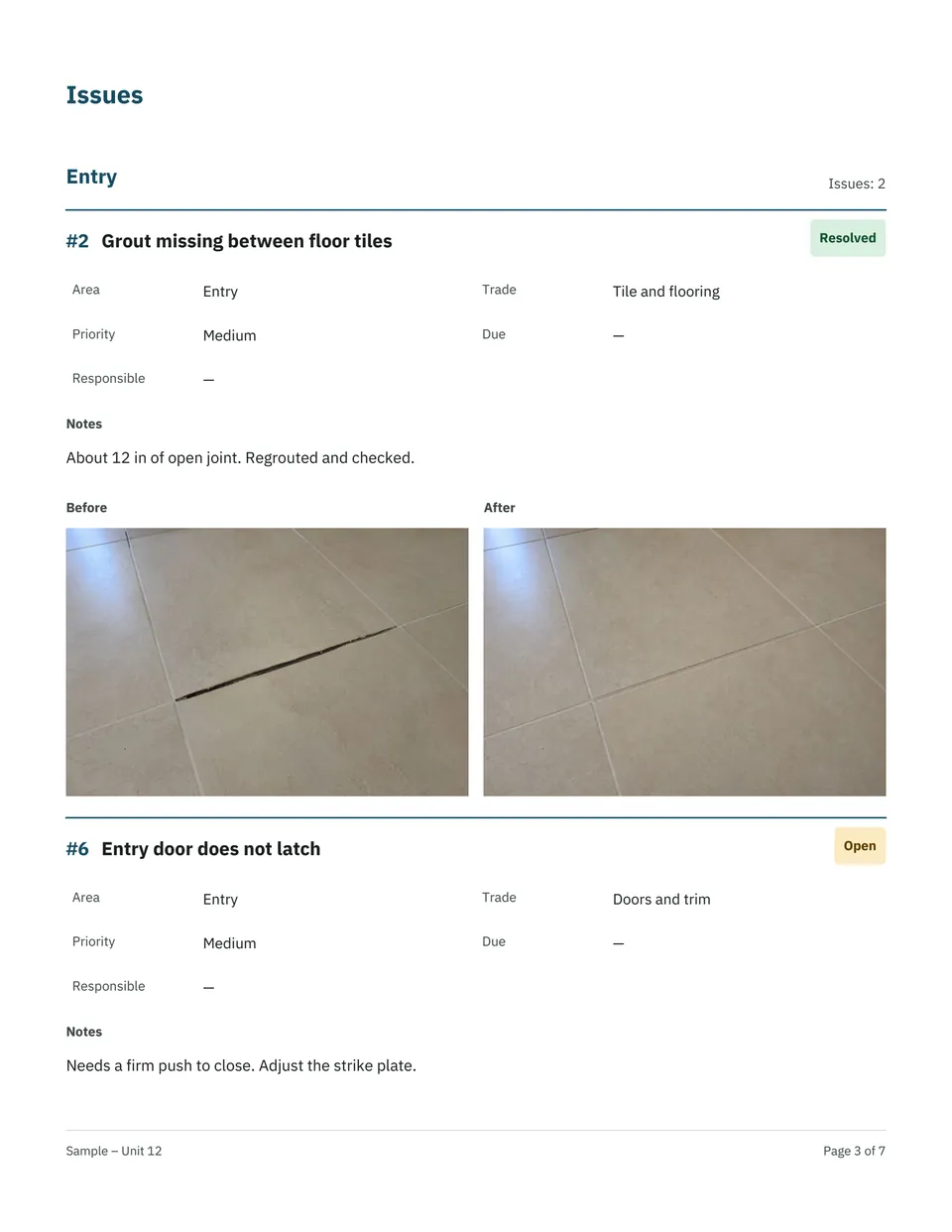
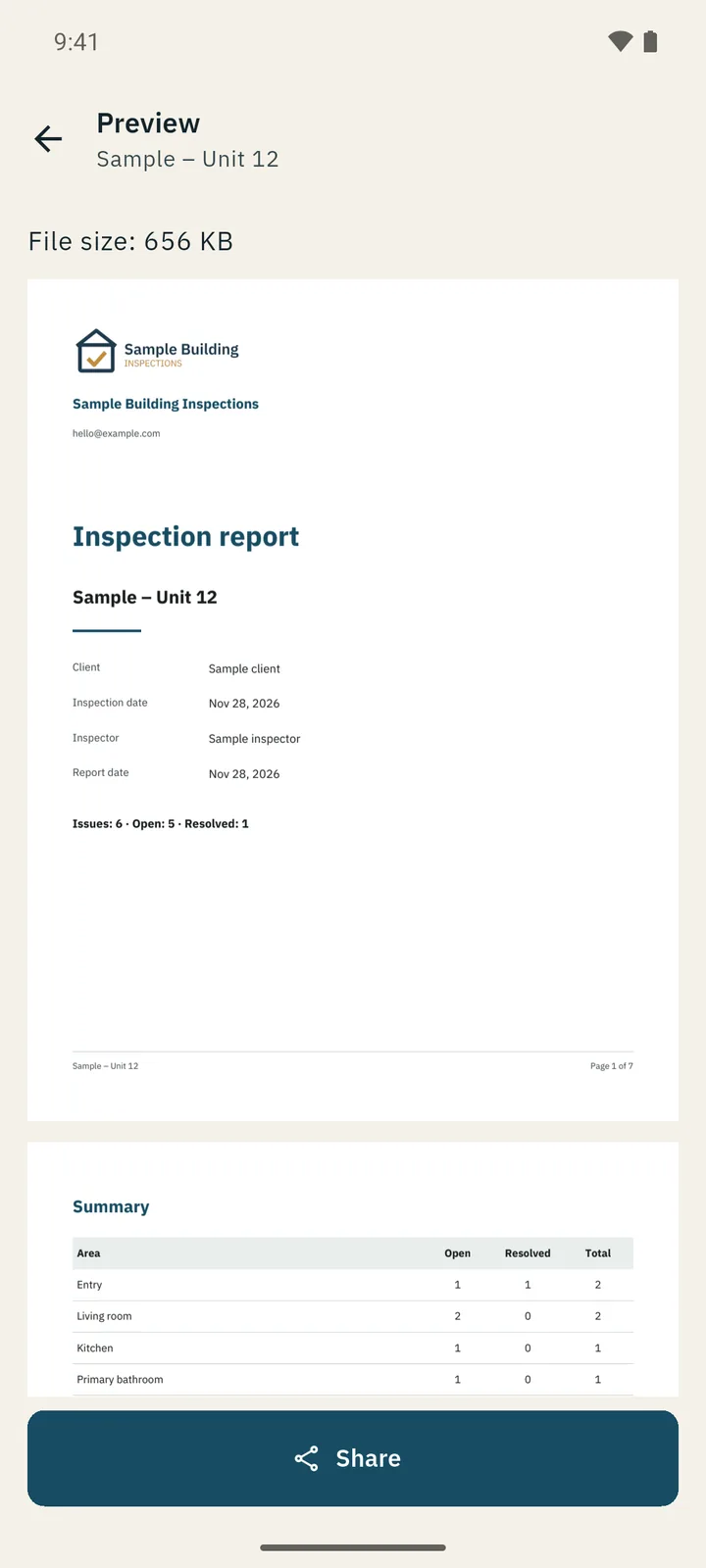
Generate a PDF with your logo, grouped by room, trade or contractor, and share it by email or any app.
Tested on a real phone: a defect with a photo in under 30 seconds, and a report shared in 3 taps.
Features
Everything a walkthrough needs
Fast capture
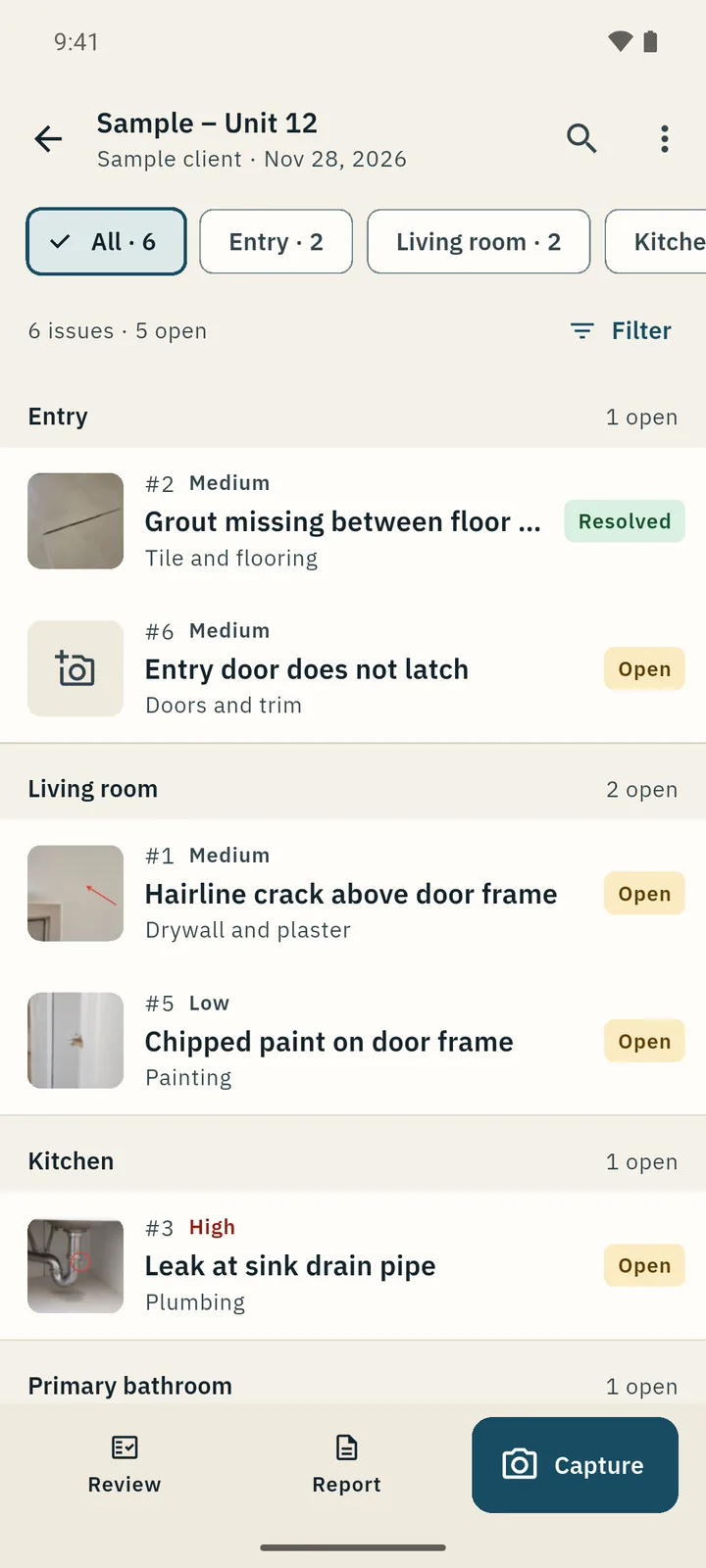
Start from a template for an apartment, villa, office or shop. Pick from about 100 defect phrases by trade, or add your own. Import gallery photos in bulk, one issue each.
Mark-up that stays put
Arrows, circles, boxes, freehand and text in 4 colours. Shapes stay exactly where you drew them, and you can edit them any time.
Reports you control
Group by room, trade or responsible party. Choose 1, 2, 4 or 6 photos per page, Before and After side by side, Letter or A4, and up to two sign-off lines. Call the items snags, punch items, defects or issues.
Re-inspections
Show only the open items, mark each fix resolved with an After photo, and send the re-inspection report.
English and Arabic
A full Arabic interface with right-to-left layout. The report language is separate: work in Arabic and deliver in English, or the reverse.
Your work is saved
Everything saves as you type, even if the phone kills the app, and reopens where you left off. Deleted items wait 30 days in Trash.
Private by design
No account, no ads, no tracking. Your projects stay on your phone, and location data is removed from photos in your reports.
Backup in one file
Back up one project, or all of them, to a single file. Keep it anywhere and restore it on a new phone.
Spreadsheet export
Export a CSV file with the photos in a ZIP, ready for Excel, Numbers or Google Sheets.
Reports
Reports that are ready to send
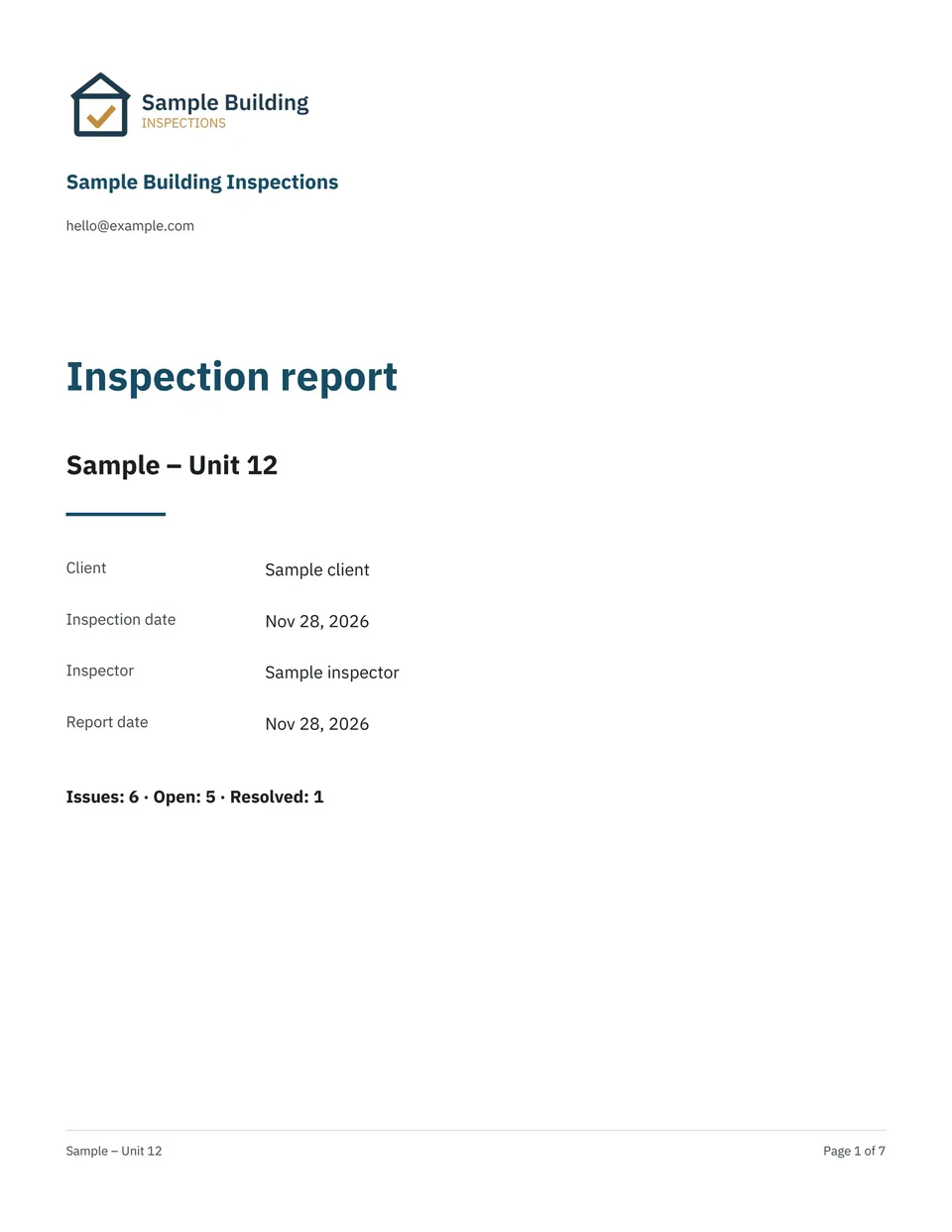
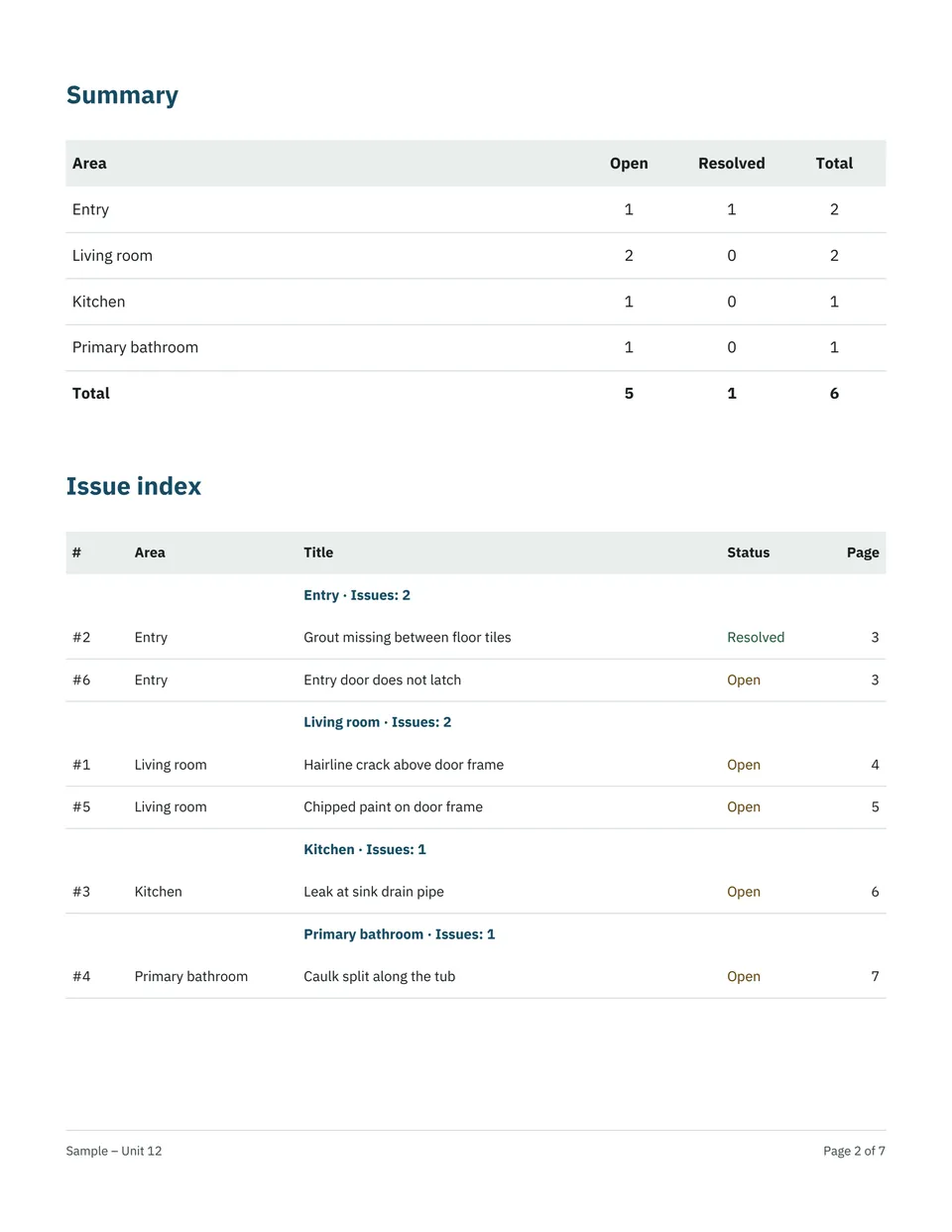
Your logo and details on the cover, a summary by room and status, an index of every issue, then each defect with its photos, mark-up, priority and who is responsible.
- Turn each part on or off: cover, summary, index, issues, sign-offs and disclaimer
- The date and time a photo was taken, printed with it
- A separate report for each contractor
- Too big for email? Make a smaller copy
Made in Keyday from the app's sample project.
Reliability
Built so your work survives
- Your work is saved, even if the phone kills the app.
- Your mark-up stays where you drew it.
- The same project gives the same report.
Made for the people who walk the site
Property inspectors, snagging surveyors, engineers, property managers, builders and contractors: anyone who hands over, inspects or fixes a home or an office.
Pricing
One price. Everything included.
Keyday for Android
US$9.99one-time purchase
Google Play shows the price in your local currency.
- Every feature in the app
- No account and no ads
- Works fully offline
- Your logo on every report
Pay once. Everything in the app is included.
Launch offer
Coming soon to Google Play.
Email us and we will tell you when Keyday is out. The first 20 people to write get a free promo code for the full app, worth US$9.99.
- Send us a short email.
- When Keyday is out, we email you the Google Play link.
- If you are one of the first 20, your promo code is in the same email.
Or write to support@keydayapp.com
One code per person, with nothing to buy and nothing to do in return. You redeem it on Google Play, wherever Keyday is sold, before the date in our email. When the 20 codes are taken, we still tell you when Keyday is out. We send that one email and no newsletter. How we use your email
FAQ
Questions, answered
How much does Keyday cost?
US$9.99, paid once on Google Play, which shows the price in your currency. That one purchase includes every feature in the app.
Does it work without internet?
Yes. Keyday needs no connection at all: capture, mark-up and reports all work offline. To email a report, your email app needs its usual connection.
Do I need an account?
No. There is no sign-up and no login. You never give us your name or email to use Keyday.
Where are my projects stored?
Only on your phone. Keyday has no cloud, so keep a backup: Settings > Backup saves one project, or all of them, to a file you can keep in Google Drive, email to yourself or copy to a computer.
How do I move to a new phone?
Back up all projects to one file on the old phone, then install Keyday on the new phone and import the file from Settings > Backup. With the same Google account, you do not pay again.
Can I add my company logo?
Yes. Add your company name, logo and contact details once, and they appear on every report.
Which paper sizes can I use?
Letter and A4. Keyday picks the one your region uses, and you can change it in Settings.
Can I open my data in Excel?
Yes. Export a CSV file with a ZIP of the photos, and open it in Excel, Numbers or Google Sheets.
Is there an iPhone version?
Not yet. Keyday runs on Android 8.0 and later.
Which languages does Keyday support?
The app is in English and Arabic, with a full right-to-left layout. You choose each report's language separately.
Can I get a refund?
You buy Keyday on Google Play, so refunds follow Google Play's refund policy.
How do I contact support?
Email support@keydayapp.com.
Your next walkthrough, finished on site.
Pay once. Everything in the app is included. No account needed. Your data stays on your phone.